

Quick Fix: Wide CMS images with consistent spacing (Framer override)
Jan 26, 2026
Framer’s CMS "Formatted Text" field is excellent for rapid content entry, but it lacks native controls for image styling. By default, images are constrained to the width of your text column, often looking underwhelming on desktop screens.
If you want your blog images to "break out" of the text flow appearing wider than the paragraphs while remaining centered, you hit a wall in the standard Framer possibilities.
We encountered this limitation and solved it with a straightforward CSS Code Override. It doesn’t require complex React components; just standard CSS applied to the right selectors.
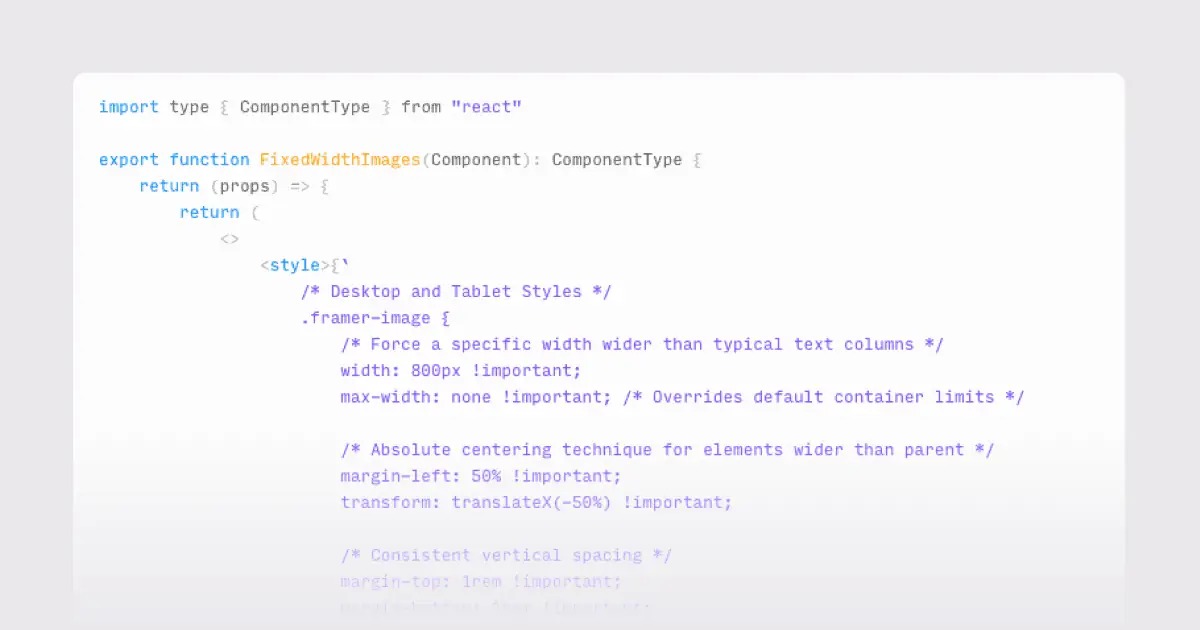
Here is the exact code to force CMS images to a fixed 800px width on desktop, center them perfectly, and ensure they remain responsive on mobile.
The solution
We target the .framer-image wrapper class that Framer automatically applies to images inside the Rich Text field.
We use a classic CSS centering trick (margin-left: 50% combined with a negative 50% transform) to position the image relative to the center of its parent container, regardless of the text width.
The code
Create a new file in your Assets panel under "Code", name it BlogImageStyles.tsx, and paste the following:
How to apply it
Go to your blog post CMS template page.
Select the Formatted Text layer on your canvas.
In the Properties panel on the right, scroll down to Code Overrides.
Select your new file (
BlogImageStyles) and the override function (FixedWidthImages).
Your CMS images will now respect the 800px width on large screens and collapse neatly to 100% on mobile devices.